App Store keyword tracker
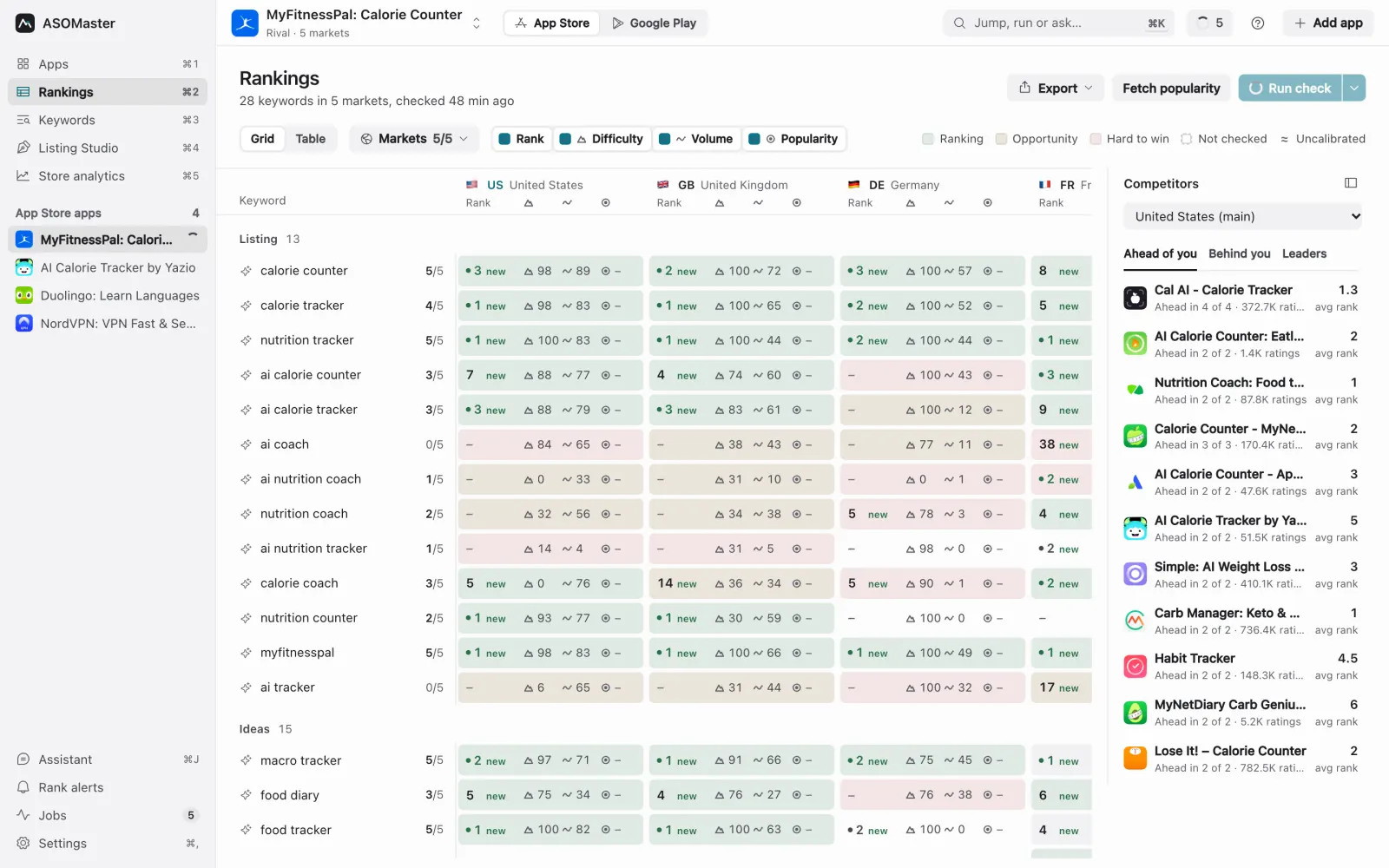
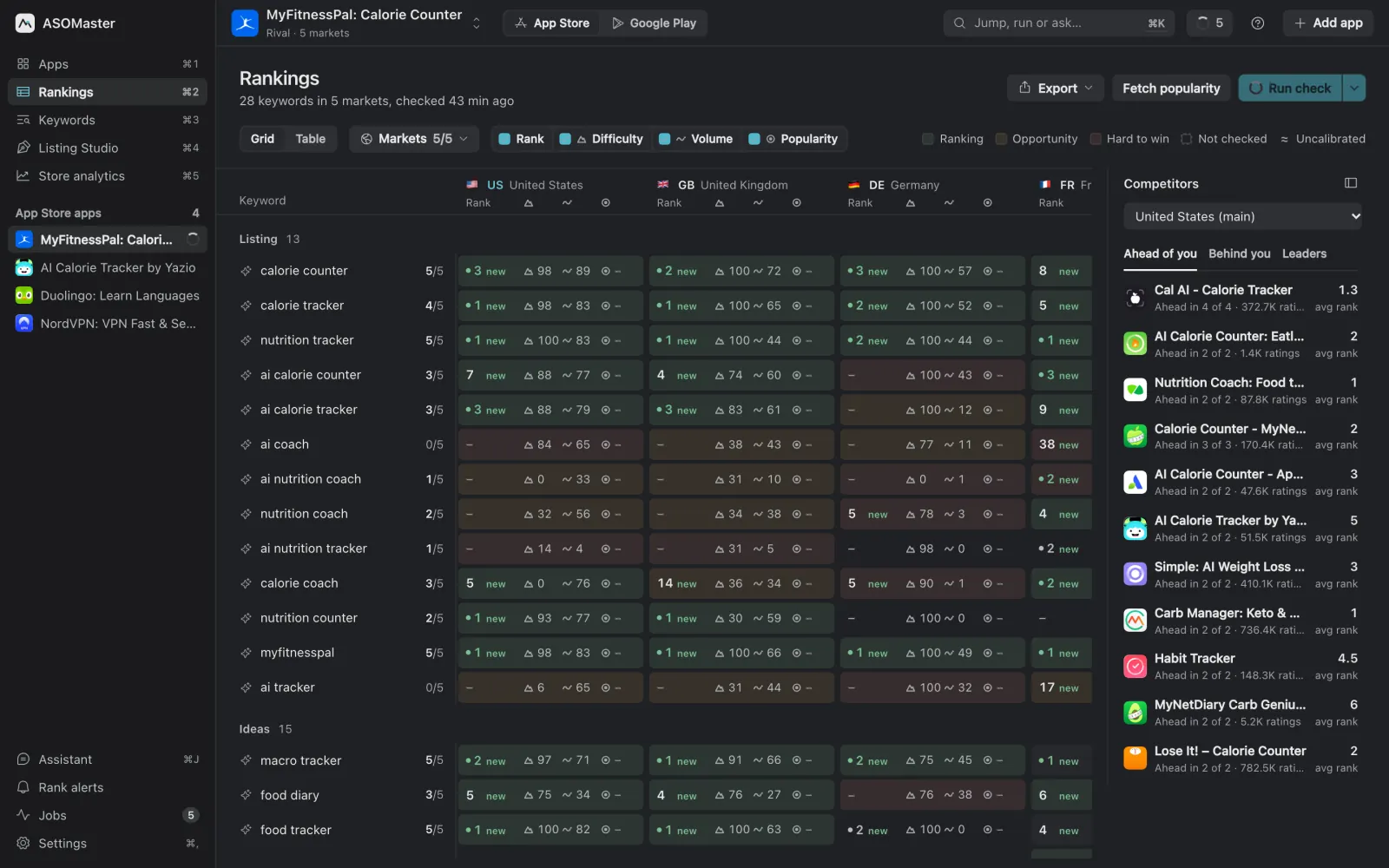
ASOMaster tracks where your app ranks for each keyword in up to 54 App Store markets, and searches each market in its own language. Every cell shows your rank and how it moved, the difficulty of the top ten, an estimated volume and, if you connect Apple Ads, Apple's own popularity. It runs on your Mac or Windows PC, with unlimited apps and keywords.
What does it track?
- Rank and movement per keyword and market, from a live App Store search. Movement compares against a check at least six days older, so daily noise doesn't look like a trend.
- Rank history, daily, with a marker on the day you published a listing change.
- Difficulty and estimated volume, ASOMaster's 0–100 estimates built from each market's search results. See Metrics explained.
- Real popularity from your Apple Ads account, in its own column. Apple Ads shows search popularity as a 1–5 level in its interface; the finer score available through the API is a relative 1–100 index (ASOMaster shows it on its 0–100 scale), not a search count.
- Market cards with your top-10 share, the week's change and the keyword closest to the top three.
Why search each market in its own language?
Because that is how people search. Someone in Germany types "weißes Rauschen", not "white noise", and a Japanese user types "ホワイトノイズ". When you add a keyword, ASOMaster writes the phrase people use in each tracked market and checks your rank for that phrase in that store. English stays English where people search in English, and you can replace any local phrase with your own. The localization guide shows why a dictionary translation often ranks for nothing.
Who outranks you?
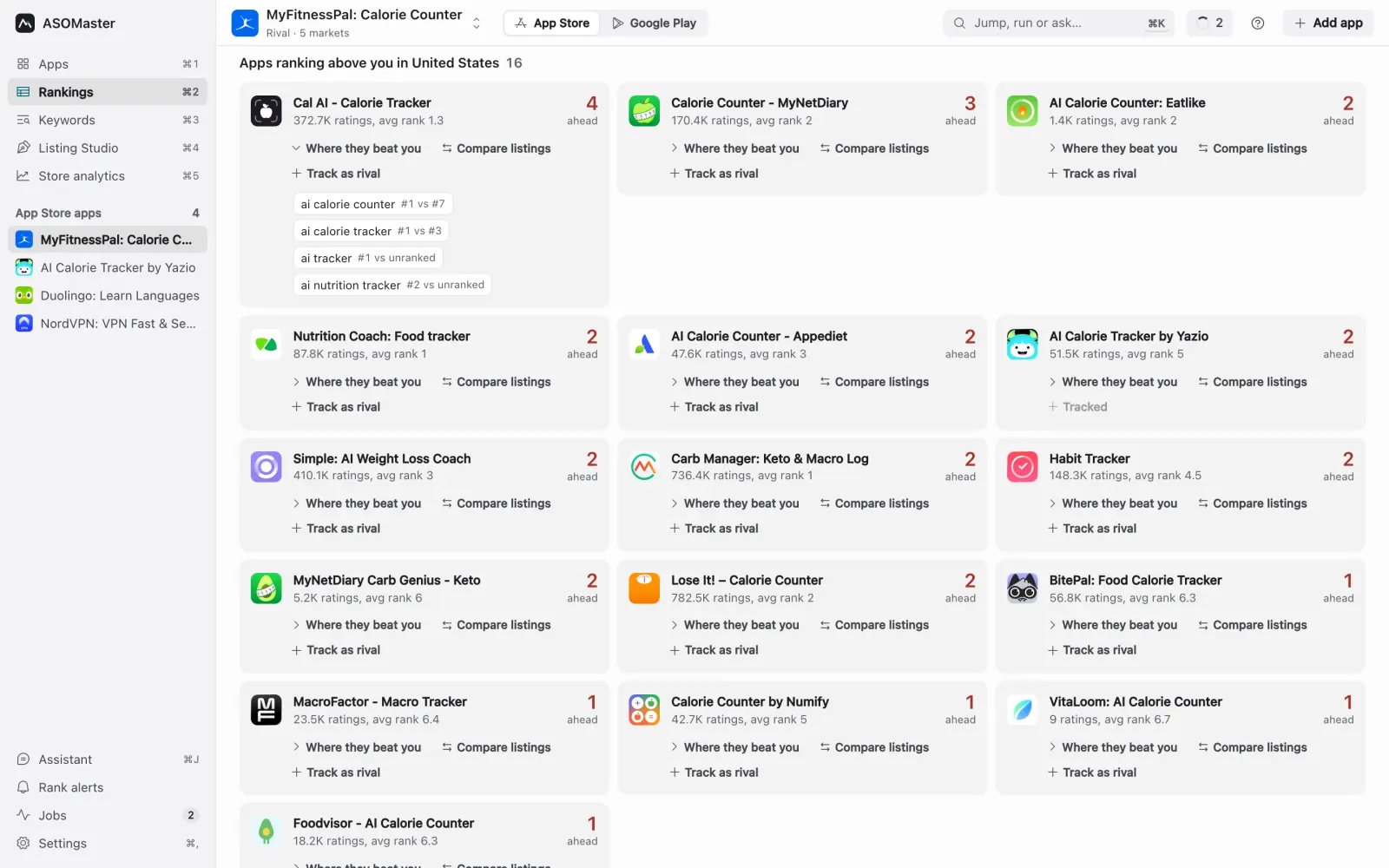
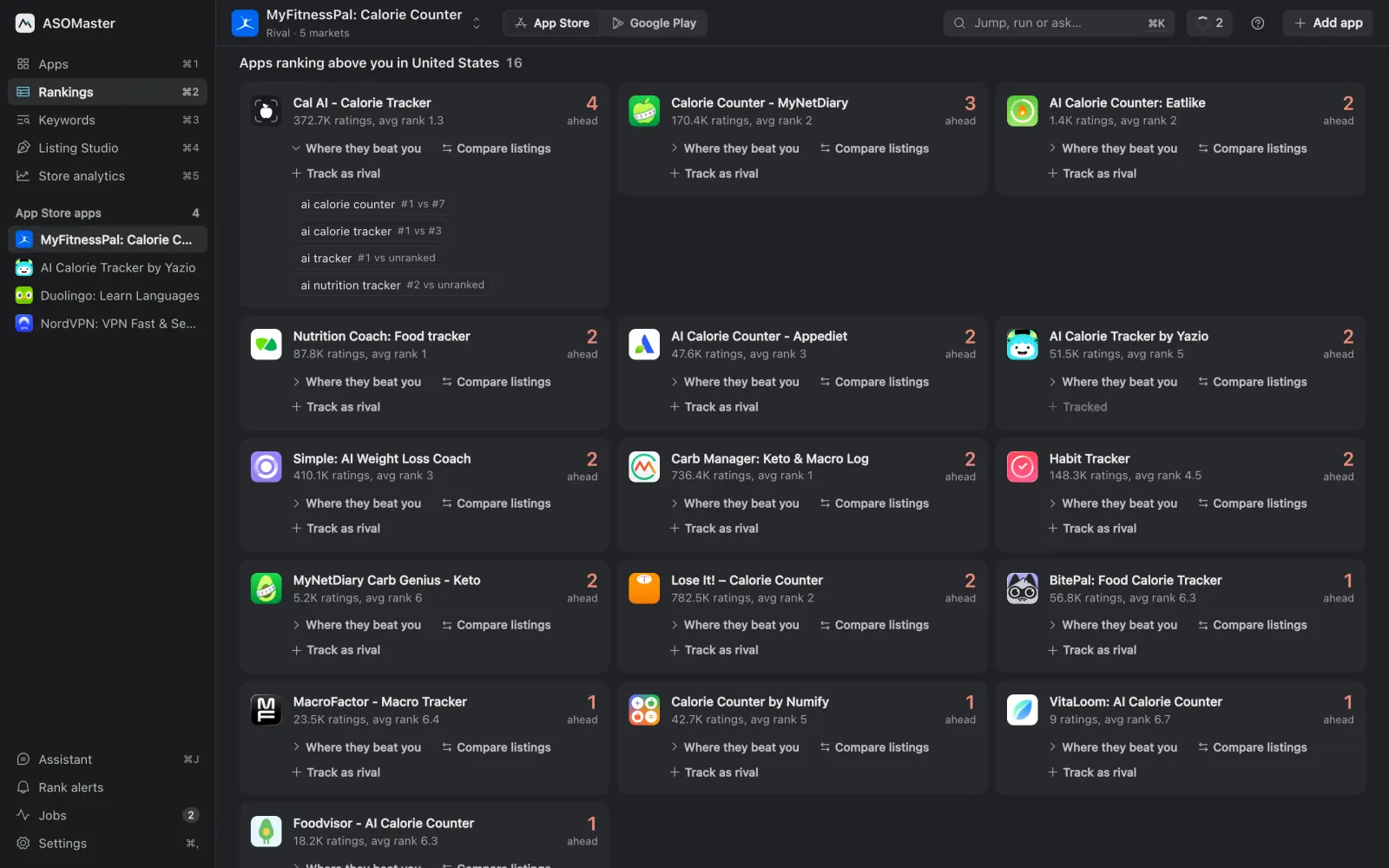
Under the board, the rivals panel lists the apps ranking above you in the focused market, the exact phrases each one wins and its rank against yours. Click any cell for that market's top ten with rating counts and whether the phrase matches each app's name or subtitle. Put a rival's name and subtitle next to yours, or track it as a project of its own. The method is in competitor analysis for apps.
How are ranks checked?
Each check is a live search of the public App Store, made from your computer, for every keyword in every tracked market. Results are cached for the day, so a second check on the same day doesn't search again unless you force it. Checks run when you press Run check or on a schedule: daily, weekly, every two weeks or monthly. The stores limit how fast anyone can search, so a big board takes a few minutes, and an interrupted check resumes where it stopped.
Alerts and exports
Rank alerts tell you when a keyword enters or leaves the top three or top ten, as a desktop notification, a Slack message or an email digest. Any board or rank history exports to CSV or Excel.
What it doesn't do
- History starts with your first check. There is no archive of past rankings for apps you haven't tracked.
- No download or revenue estimates for other apps; cloud suites such as AppTweak or Appfigures sell those.
- No shared team workspace: your data lives in a database on your computer.
It also covers Google Play with the same board (see the Google Play ASO tool), and the App Store keyword research guide walks through a full research round.