Local pricing for App Store and Google Play
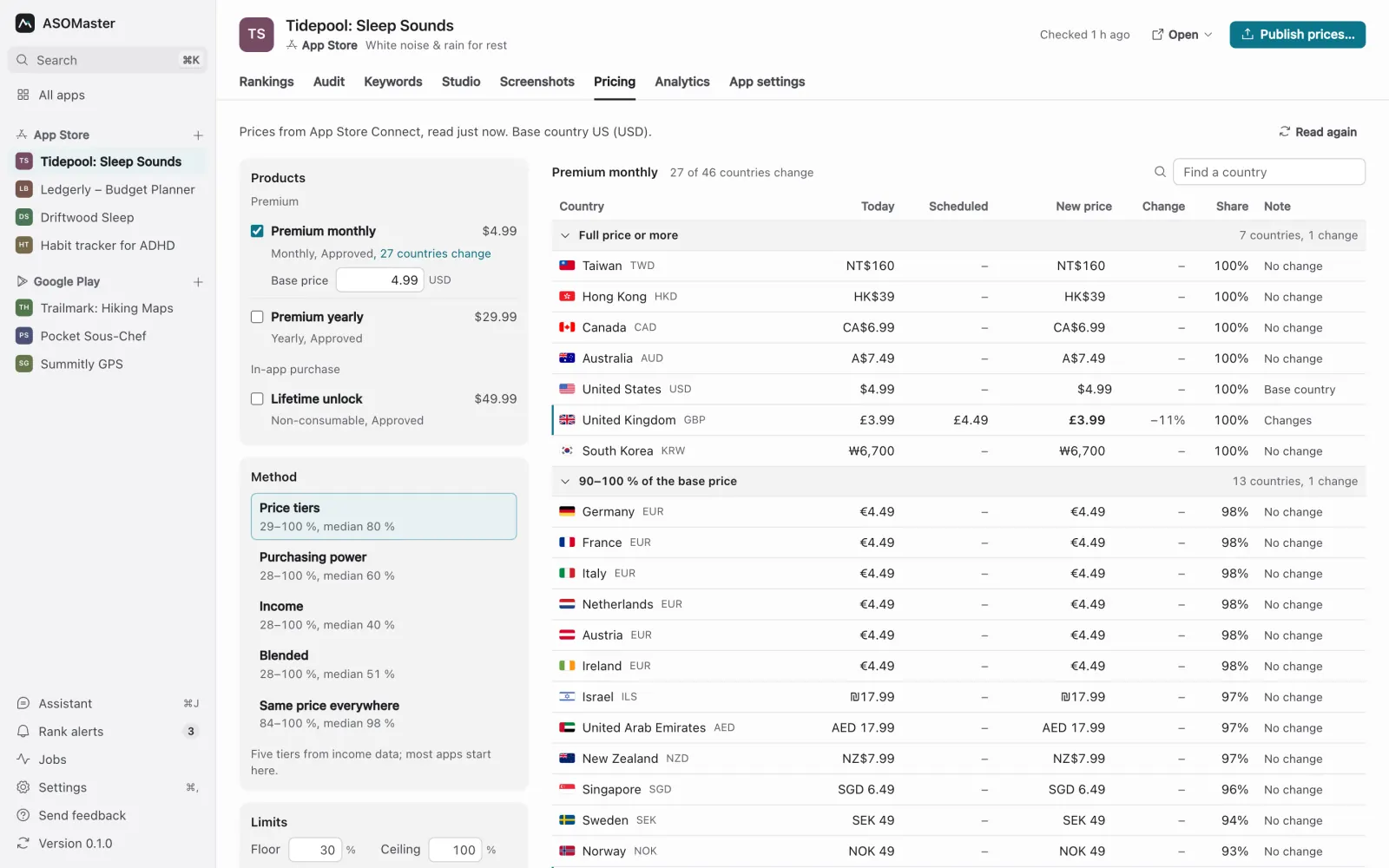
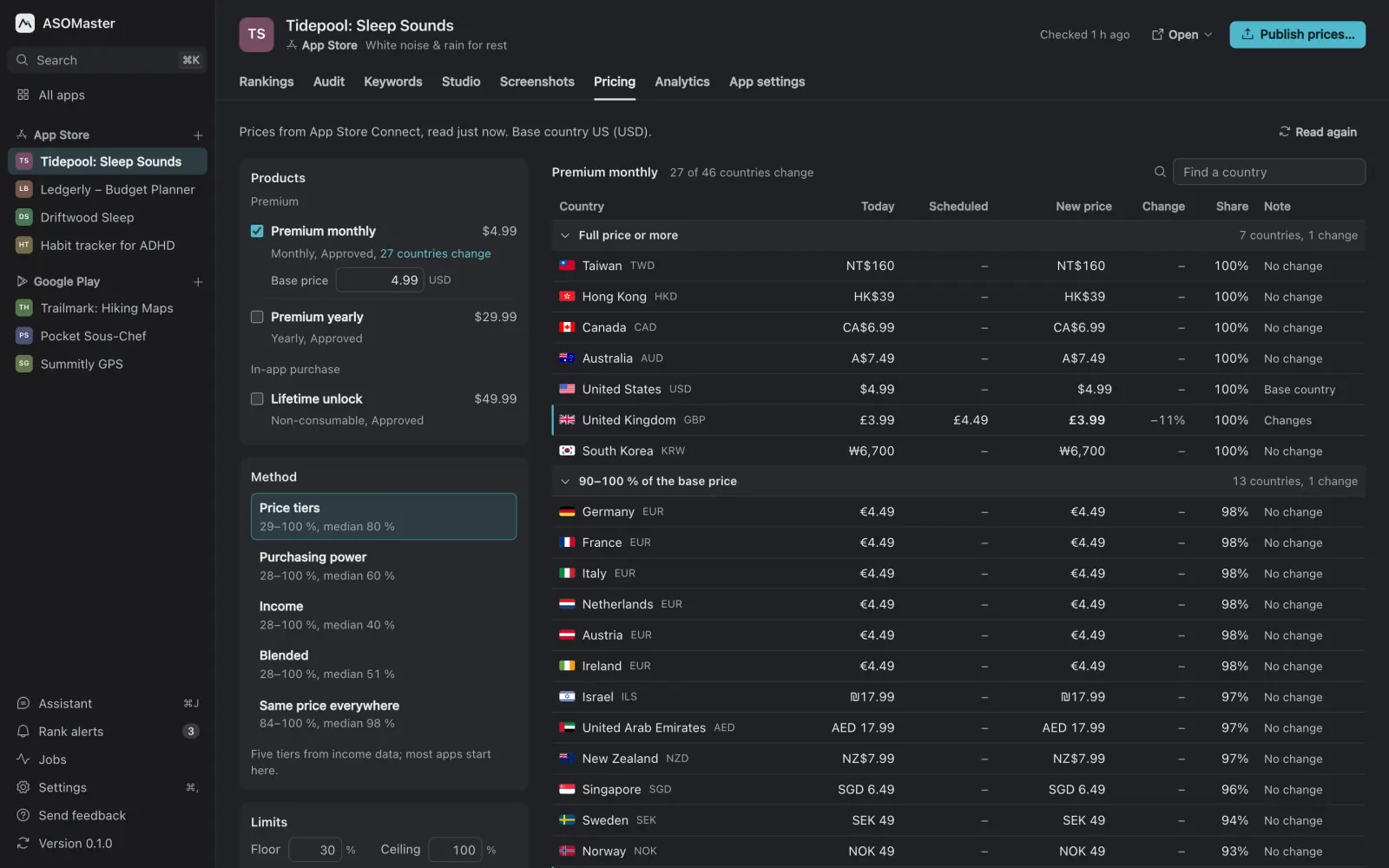
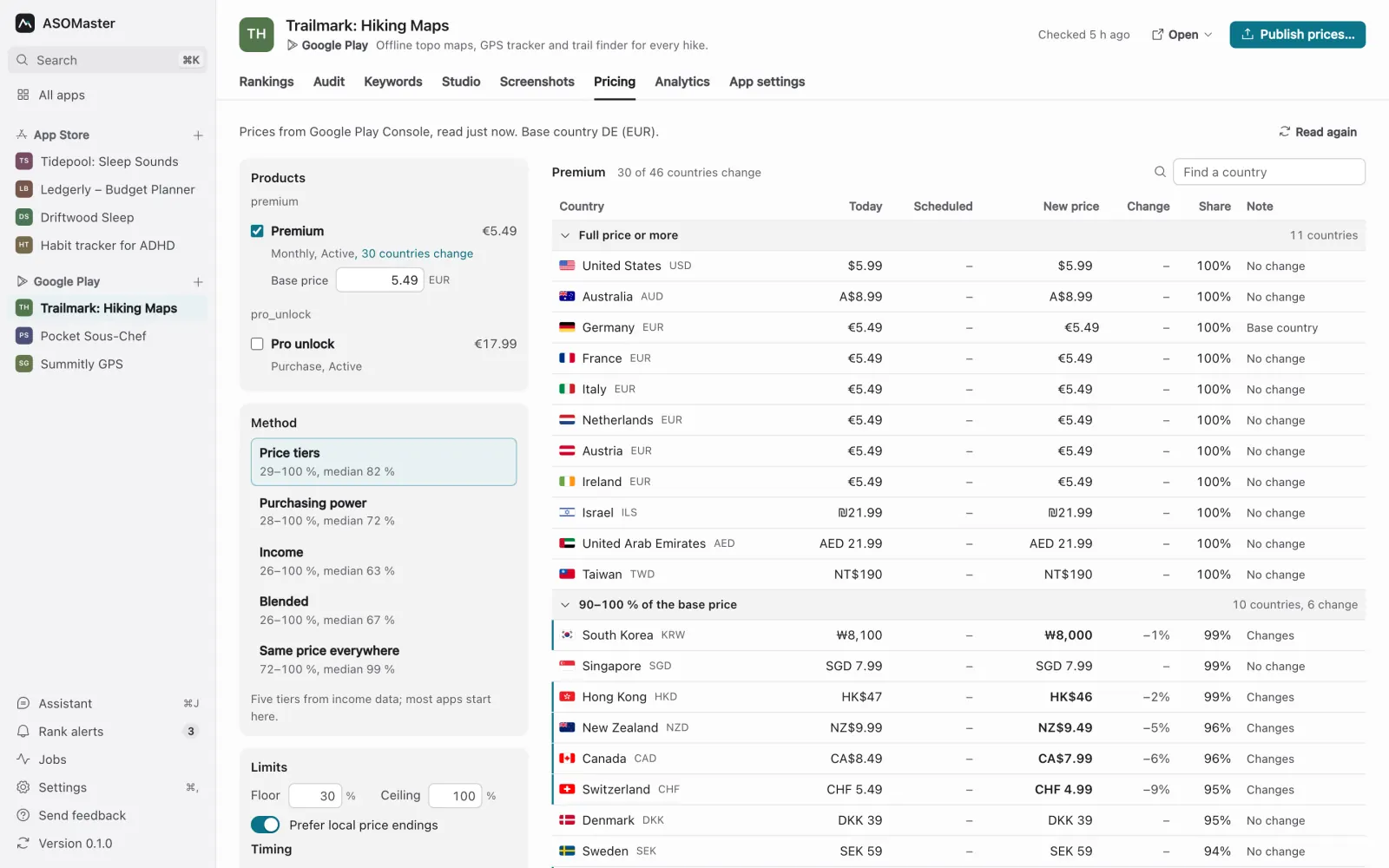
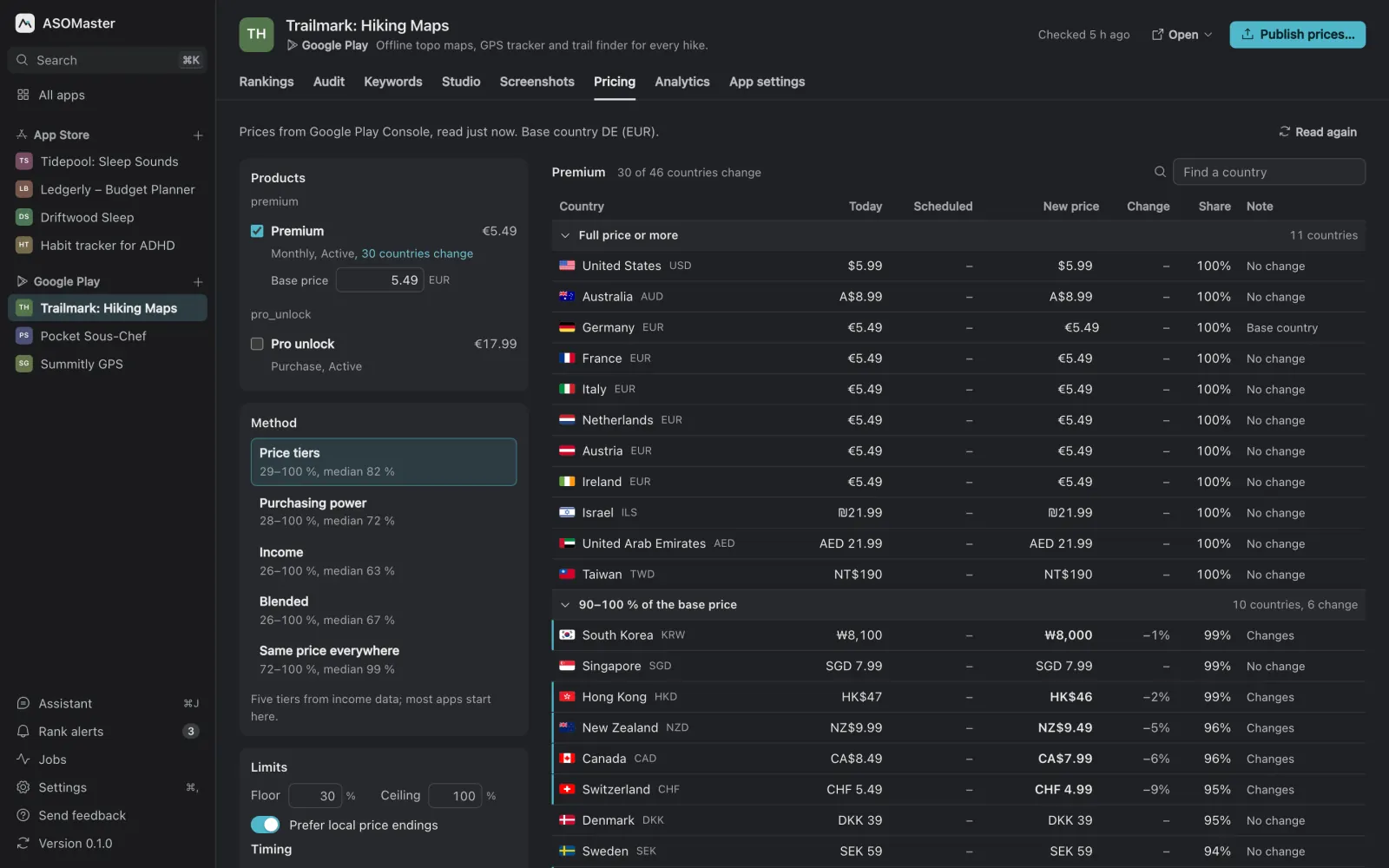
ASOMaster's Pricing tab reads your subscription and in-app purchase prices from App Store Connect or Play Console, shows what each country pays today, and suggests a local price for every country from one base price. You pick the method, set a floor and a ceiling, and override any country by hand. Every suggestion lands on a price the store accepts, with the endings local prices usually have. Nothing changes in the store until you confirm the products, the countries and the start date.
Why price per country?
The stores convert your price into each currency, but they don't adjust it to what people there can pay. A price that feels small in the US can be a large share of a month's income elsewhere, so the same subscription sells to far fewer people. Local pricing lowers the price where incomes are lower and leaves it where they are not. Whether that earns you more depends on your app; the Pricing tab shows the plan side by side with today's prices so you can decide, and you can change it back.
Which products does it cover?
- App Store: auto-renewable subscriptions and in-app purchases, read and written through the App Store Connect API.
- Google Play: subscription base plans and one-time products, through Google Play's monetization API.
It needs your store account connected (App Store Connect setup, Google Play setup), and it works on your own apps only. When you open the tab, every product is selected, so all your prices show straight away.
How is each country's price calculated?
Each method gives every country a ratio to your base country, which is the app's main market. The base price is first converted the way the store itself converts it, then multiplied by that ratio.
| Method | What it uses |
|---|---|
| Price tiers (default) | Five tiers from an affordability index: full price, then 80, 60, 45 and 30% of it. |
| Purchasing power | Income per person adjusted for local prices (World Bank GNI per capita, PPP). |
| Income | Income per person at market exchange rates (World Bank GNI per capita, Atlas method). |
| Blended | The geometric mean of purchasing power and income. |
| Same price everywhere | Only the store's own currency conversion. |
The income data covers 220 economies. Where a country has none, it falls back to tiers, then to the same price, and every row says which method produced it.
What can you control?
- Floor and ceiling. No country goes below the floor (30% of the base price by default) or above the ceiling (100% by default, up to 300% if your base country is cheaper than the richest markets).
- Store price points. On the App Store each price snaps to the nearest price point Apple offers in that currency. On Google Play it picks a natural local price close to the target.
- Local endings. Prices end the way local prices do: .99 in some currencies, .90 or round numbers in others, whole amounts ending in 9 where there are no decimals. You can turn this off.
- Manual overrides. Type any country's price yourself. An override far outside your floor and ceiling is flagged and never written.
How do new prices reach the store?
Only when you start it. Publish opens a confirmation that lists the products, the countries that change and, on the App Store, the start date. After you confirm, a background job re-reads the store first and writes nothing if any price you confirmed has changed in the meantime. A report shows what was written, kept or failed for each product.
- Existing subscribers keep their price. A price increase never reaches people already subscribed on the App Store. On Google Play, new prices apply to new subscribers; ASOMaster doesn't move existing subscribers to the new price.
- Start dates exist on the App Store only. Google Play changes prices at once.
- No new countries. It changes prices only where a product is already on sale and never touches availability.
- Agents ask first. An AI agent using the MCP server can read prices and plan them, but a publish needs your approval in the conversation and your confirmation in the app.
What it doesn't do
- It doesn't predict revenue or run price experiments. Watch downloads and revenue in your store analytics after a change.
- It doesn't submit anything for review, and it doesn't change paid app prices.
Pricing sits next to keywords, the app audit and Listing Studio in the same app. The app store optimization guide covers how pricing fits with the rest of a listing.