Listing Studio: listing drafts measured against your live listing
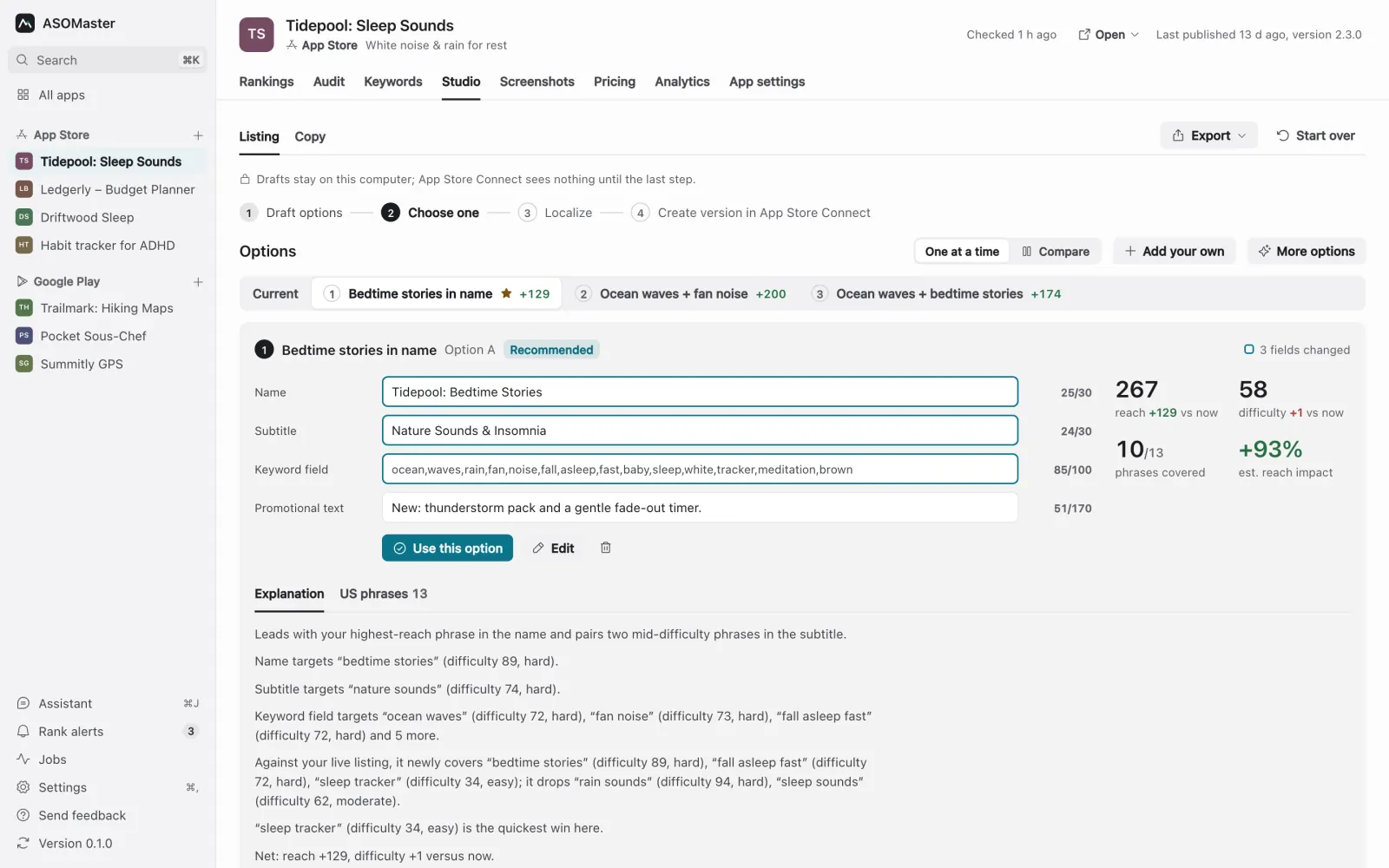
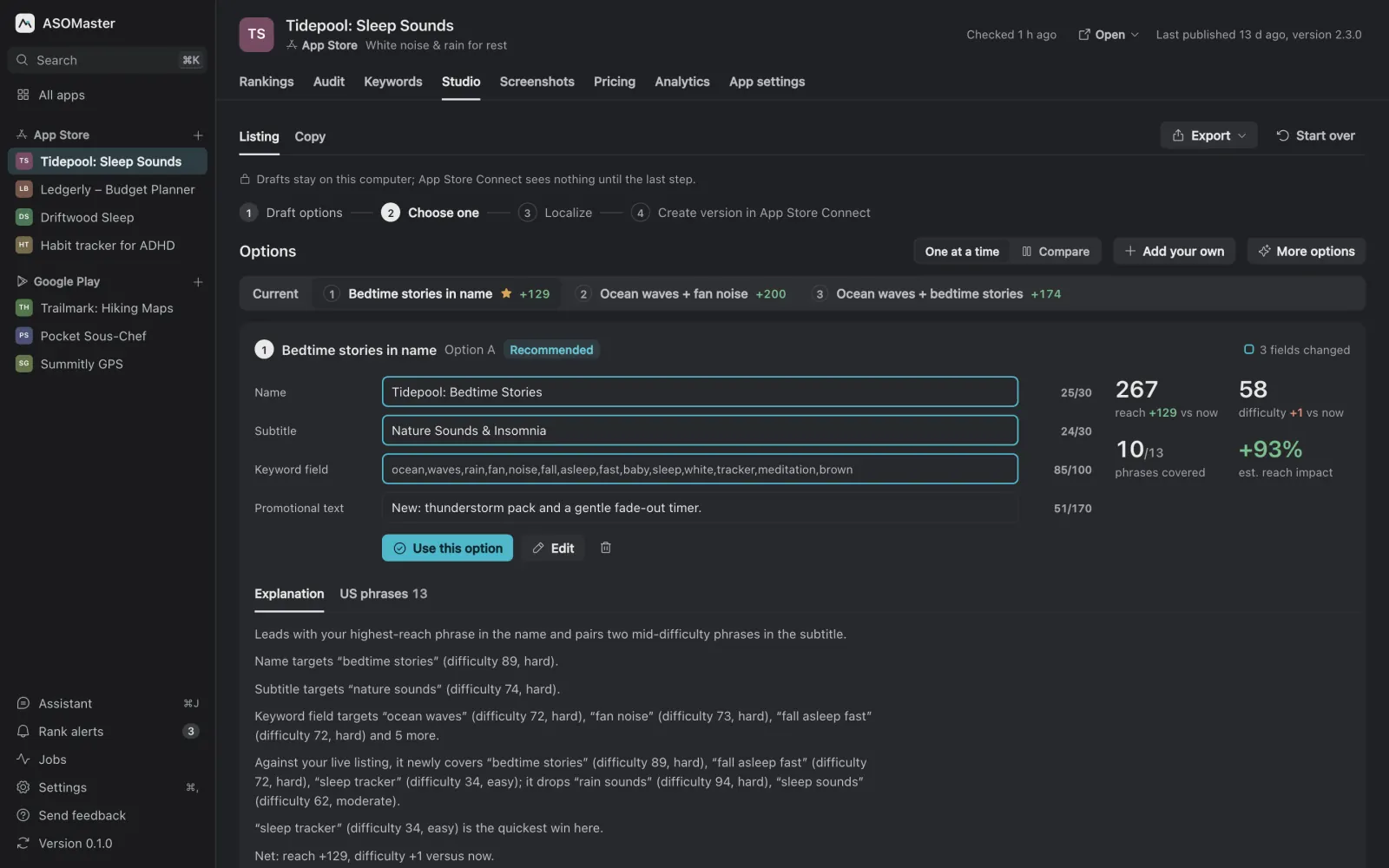
Listing Studio writes new versions of your App Store name, subtitle and keyword field, or your Google Play title and short description, with the AI tool you already use. Each option is measured in store search and shows how many searches it reaches and how hard they are, next to your current listing. Studio never recommends an option that reaches fewer searches than the listing you have now. When you have picked one, it localizes it market by market, reviews every language, and publishes only when you start it.
How are the options drafted?
- Scout. The AI reads your current listing and proposes up to 15 phrases worth measuring that aren't measured yet.
- Measure. ASOMaster searches the store for those phrases, plus up to 30 from your board, and records demand and difficulty for each.
- Draft. The AI writes three options by default; More options asks for one to five more, and you can add your own. Your brand, the part of the name before a colon or dash, stays in every title.
Every field respects the store's limits, with a counter on each: 30 characters for the name and subtitle and 100 bytes for the keyword field on the App Store, 30 for the title and 80 for the short description on Google Play. The name, subtitle and keyword field guide explains how the three App Store fields work together.
How are options scored?
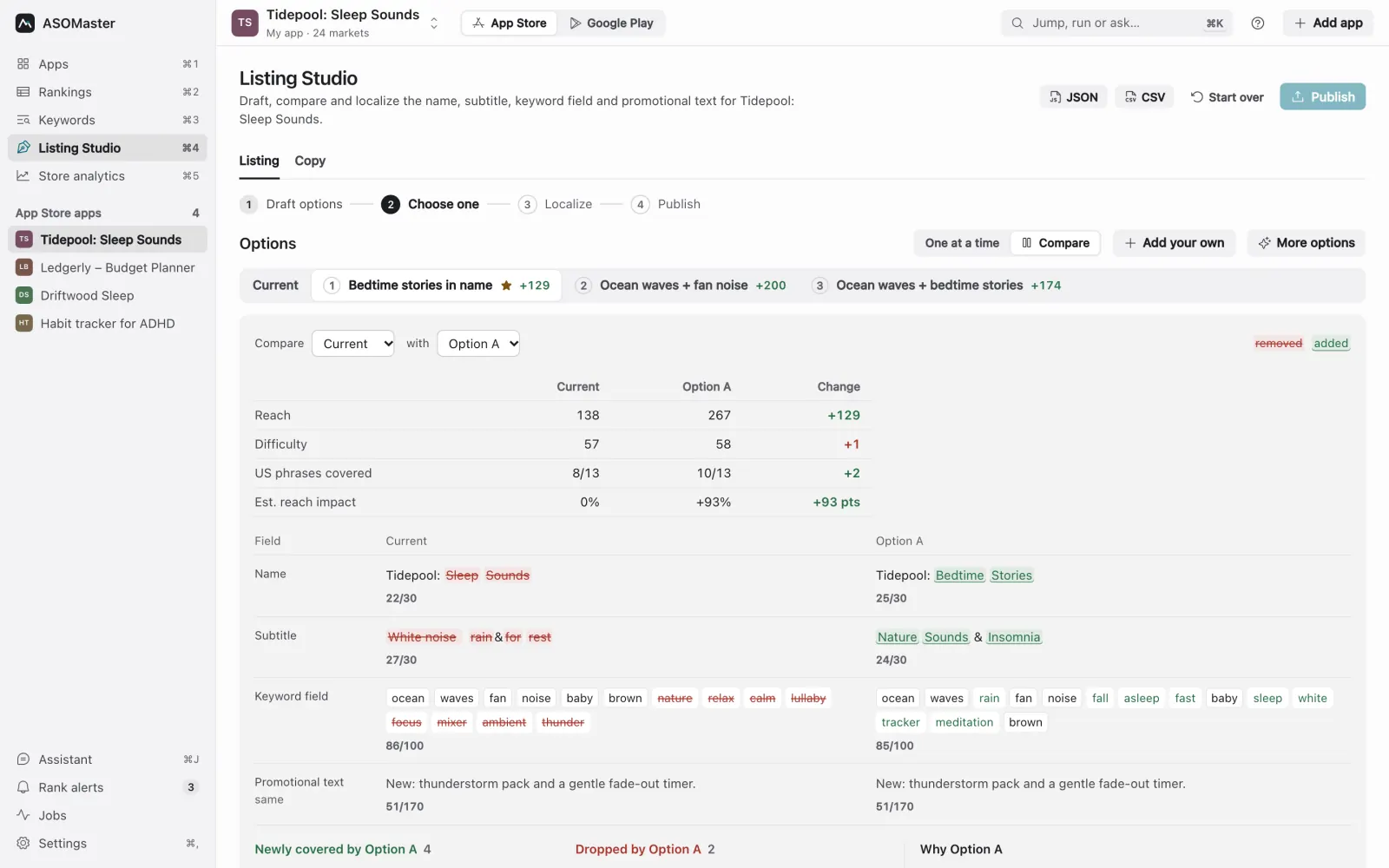
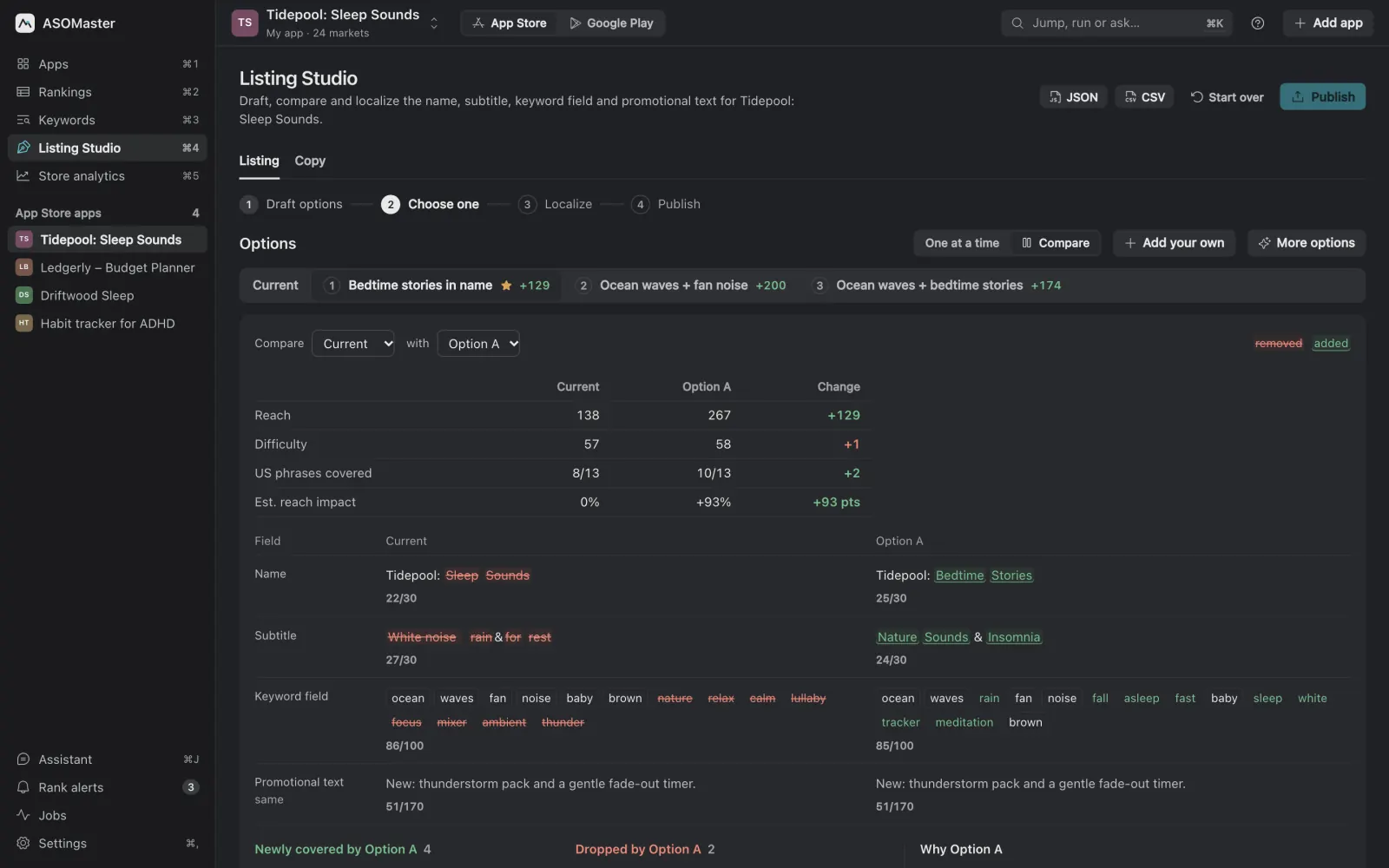
Reach is the search demand an option covers, discounted by difficulty. A phrase counts only when all its words are in the listing. On the App Store, a phrase covered by the name and subtitle counts fully and one that needs the keyword field counts half; on Google Play the title counts most, then the short description. Each option shows its reach, difficulty and phrases covered "vs now", and Compare lines an option up against your live listing word by word, with the phrases it gains and drops. Definitions are in Metrics explained.
Can it recommend a worse listing?
Not on reach. If the AI's pick reaches fewer searches than your current listing, Studio drafts all options again once, telling the AI which phrases (up to 12) its pick dropped. Then it recommends the AI's pick if it no longer loses reach, or otherwise the option with the highest reach that loses none. If every option still loses reach, Studio recommends none of them and says so: keep your current listing, edit an option, or draft more. You can still choose any option yourself; the guard only decides what gets the Recommended label.
How does it localize?
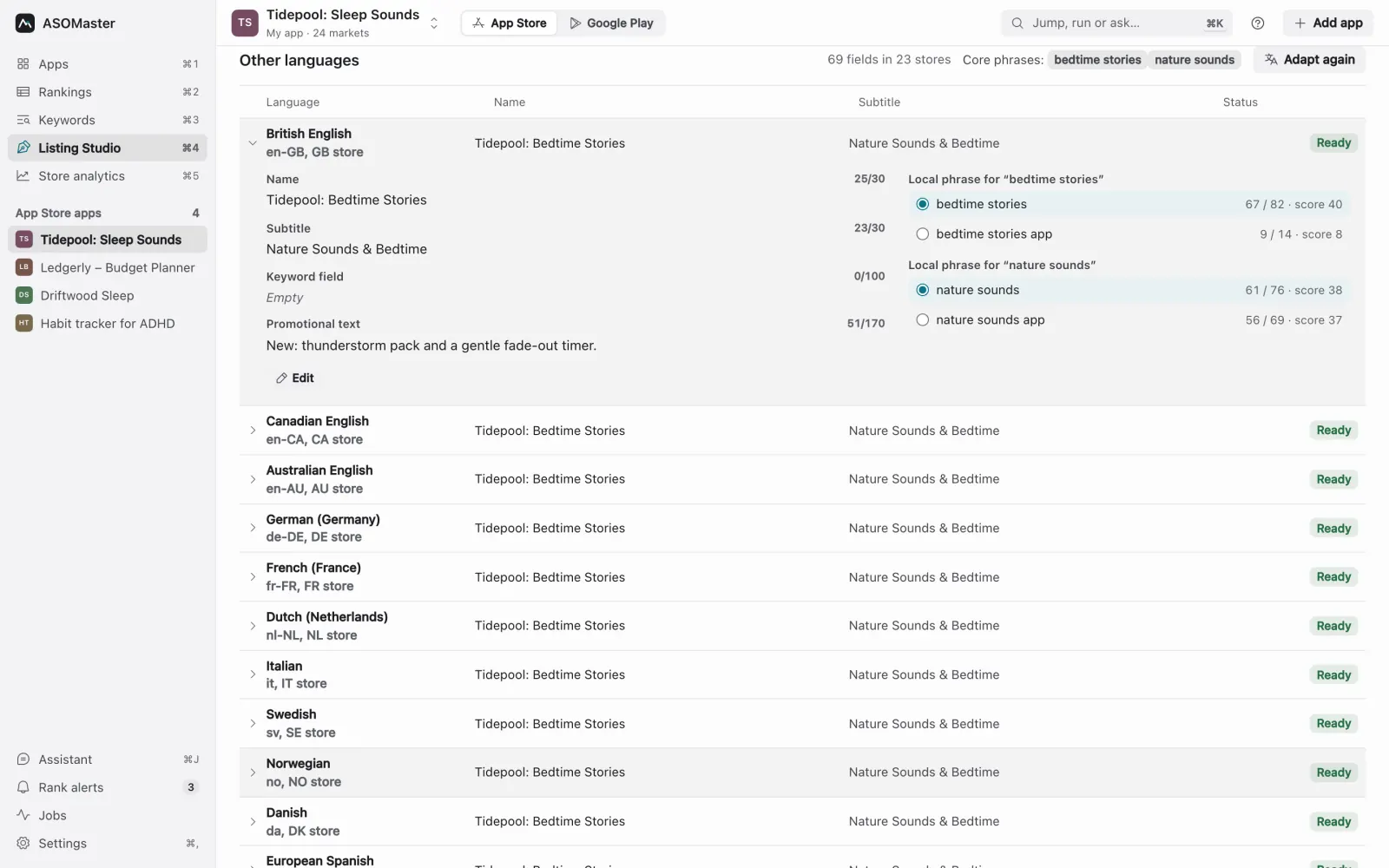
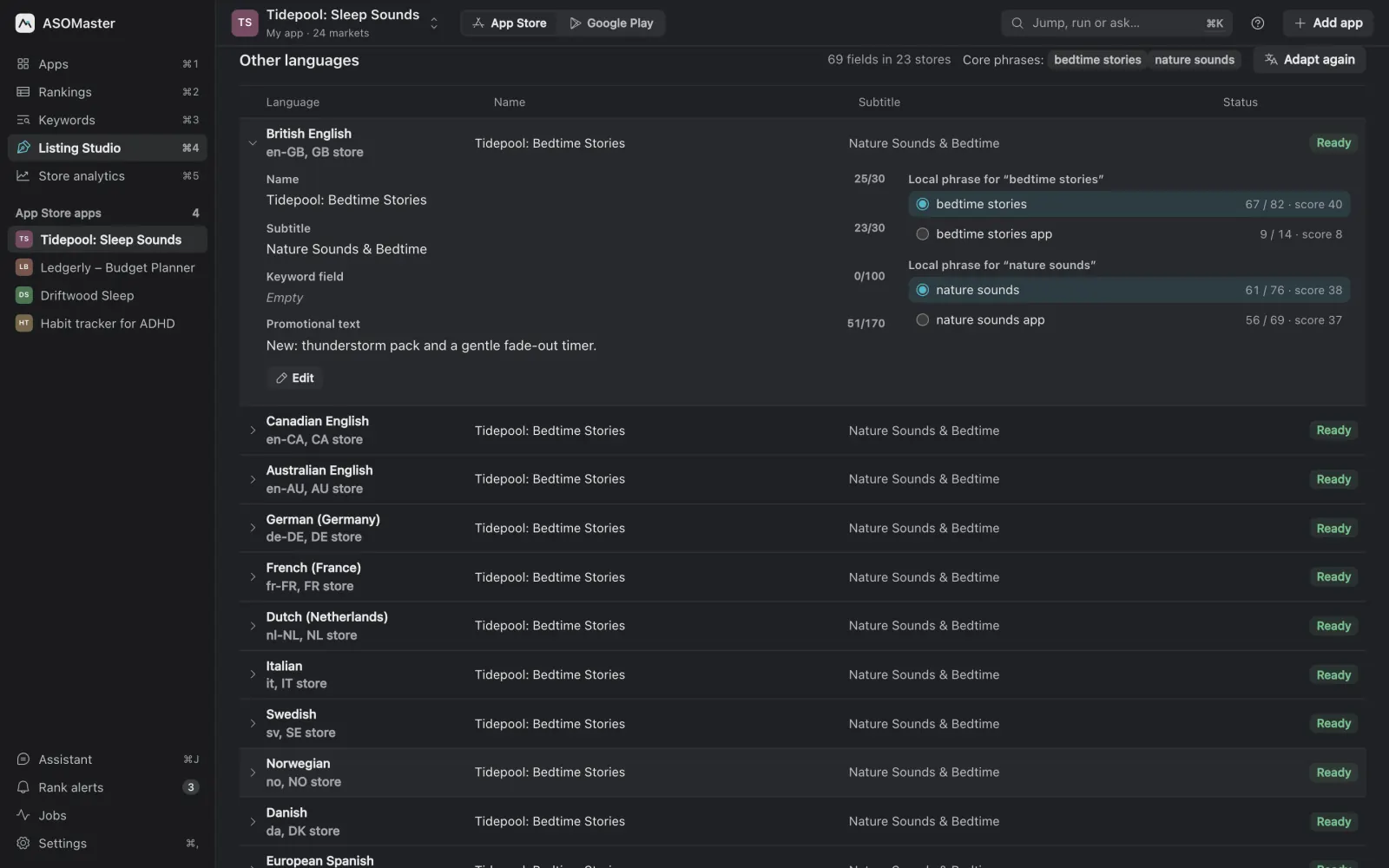
After you choose an option, Studio localizes it to the languages of your tracked markets, or to every language the store supports. In careful mode the AI proposes two or three local phrasings for each core phrase, ASOMaster searches each one in that language's store, and the best by demand and difficulty goes into the fields. Fast mode asks for one local phrasing per phrase and measures it next to the original, many languages at a time. The localization tool page and the guide to localizing app keywords go deeper.
What is checked before you publish?
- Final review. After localizing, the AI reviews every name and scans keywords and copy for rejection risks, and fixed rules catch fields over the limit and other mechanical mistakes. Fixes that fit are applied automatically, most serious first, each with its own undo; anything else is listed as Must fix or Suggestion for you to look at. The review never blocks publishing.
- Don't-target list. Phrases you never want, such as a rival's brand, are kept out of every AI step and stripped from drafts.
- Publish preview. Every field that will change, old next to new, per language, compared with the live listing read fresh from the store.
How does publishing work?
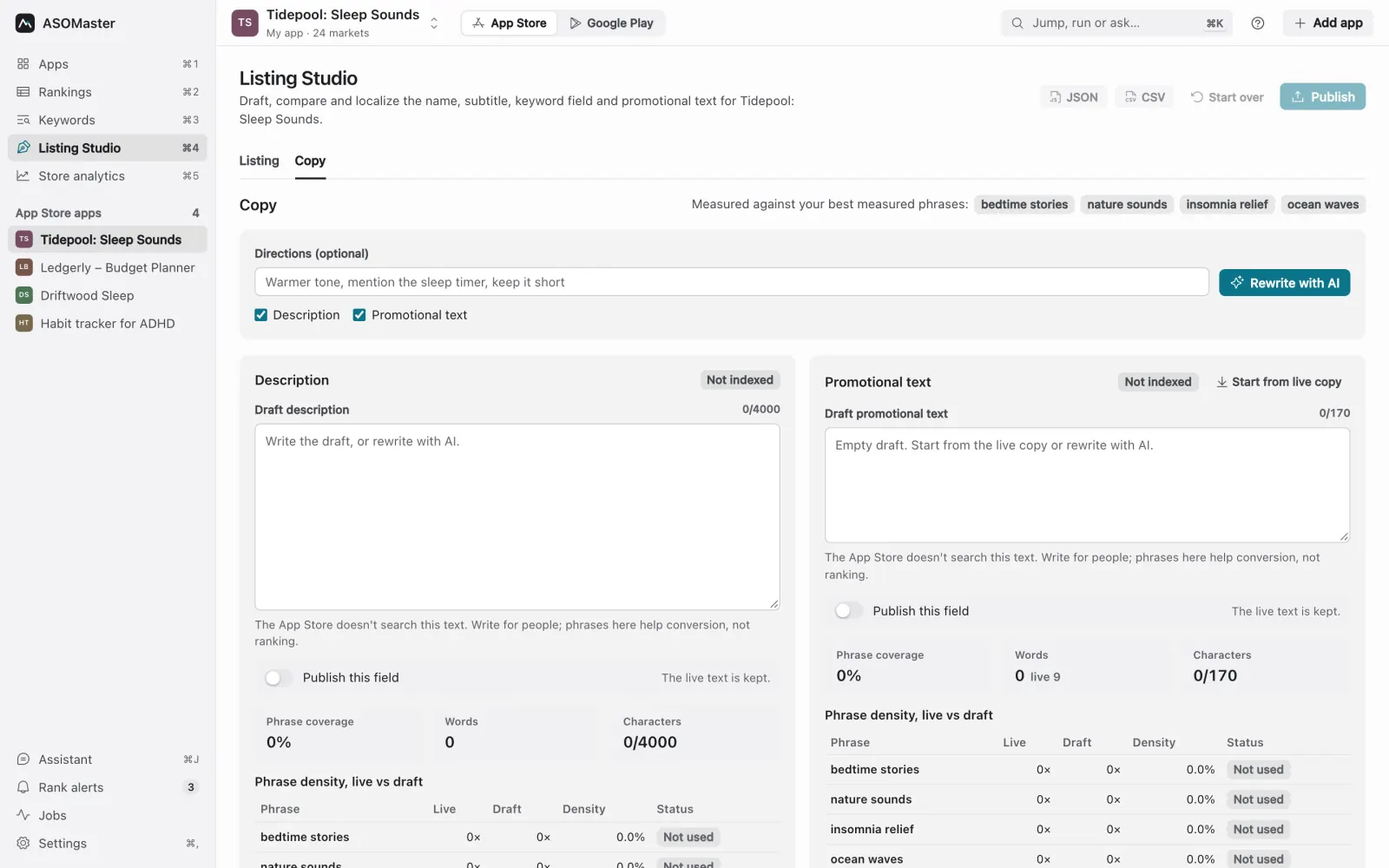
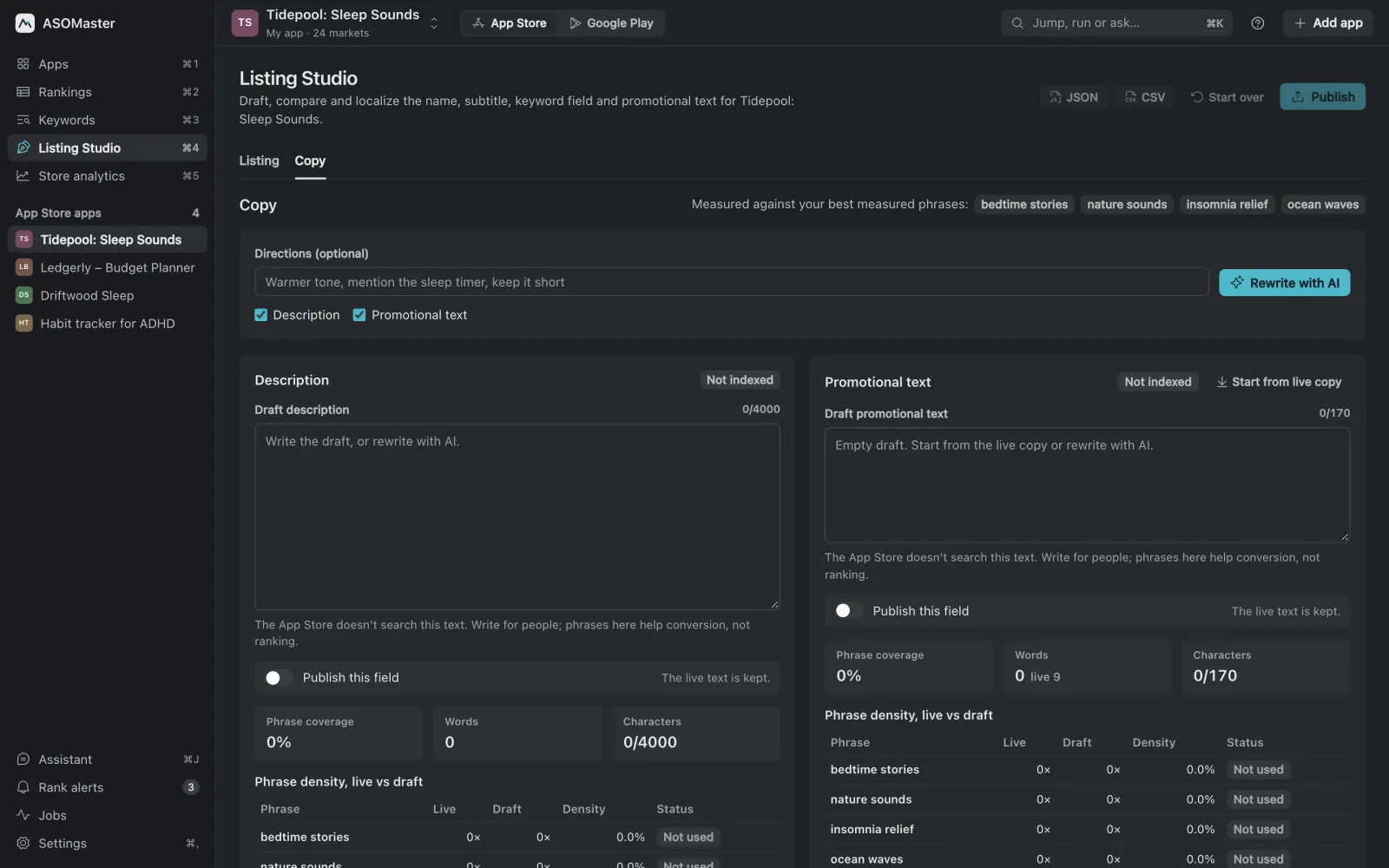
Only when you start it, after a confirmation. On the App Store, Studio fills the editable version in App Store Connect or creates a new one; on Google Play it commits an edit in Play Console. It never submits for review. If App Store Connect says a name is already taken by another app, the other fields still upload, and the AI suggests replacement names that wait for your pick. You can also export the listing for fastlane, or as CSV or Excel, and ship it your own way. Descriptions and promotional text are drafted in the Copy tab, with how often each target phrase appears live and in the draft.
What it doesn't do
- It needs an AI tool: Claude Code, Codex, OpenCode, Gemini CLI, Cursor, Grok Build, Antigravity CLI, Ollama or an Anthropic API key (AI providers).
- It doesn't publish on its own or on an agent's say-so: an AI agent using the MCP server must quote your approval, and the app asks you to confirm.
- Reach is measured from store search on the day you draft. Check your ranks again a week or two after a release; the ASO checklist before every update shows how.
Studio is usually the next step after the app audit, whose fix buttons open it. For the whole process, read the app store optimization guide.